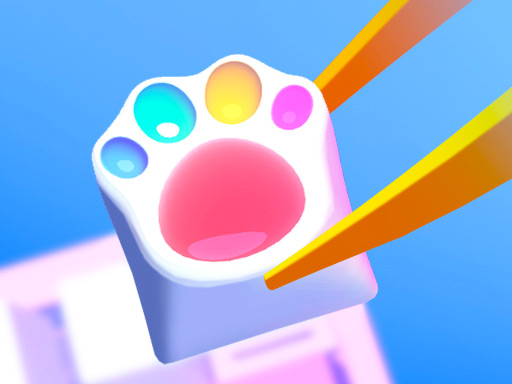
Diy Keyboard


Imagine a game where you actually design a keyboard from scratch. Diy Keyboard lets you color, draw, and customize every key with a handful of creative tools. Kids and girls who love cute design will feel an instant rush of fun. The HTML5 engine runs smooth on mobile and desktop, so you can tinker anytime, anywhere. If you’ve ever wanted to see your own artwork become a functional keyboard, this is the place to make that happen.
The control scheme is stripped down to the essentials. Use your mouse or tap on the screen to select a tool, then drag to apply color or pattern. Every action feels responsive, and you never need a complex tutorial. Just pick, paint, and press “save” when you’re satisfied.
Start with a simple palette. Light shades let you see the shape of each key before you add details. When you’re comfortable, layer a second color for depth. The game offers five manufacturing methods – resin, acrylic, pop‑it, stencil, and decor – each with its own visual effect. Experiment with resin for glossy finishes, or stencil for sharp outlines. Save your favorite combos and reuse them on new layouts to speed up creation.
Focus on symmetry early on. Balanced rows make the keyboard feel professional, while asymmetric designs add a quirky charm. If you enjoy sharing, export your masterpiece and post it on social media; the community often rewards bold color choices with extra decorative stickers.
Remember that the game rewards “completion streaks.” Finish a full set of keys without resetting, and you unlock premium ornaments. These ornaments are perfect for the girls who love a touch of sparkle, and they also serve as a visual indicator of progress.
Keep an eye on the timer when you play the mobile version. Short bursts of play fit perfectly into a commute, and each session adds up to a larger collection of designs. The more you play, the more you’ll master the subtle nuances of each manufacturing method.
Ready to start your own keyboard creation? Jump straight into the action on Y8 and experience the blend of coloring, drawing, and design that makes Diy Keyboard a standout HTML5 title. Your next masterpiece is just a tap away.

We use cookies to help you navigate efficiently and perform certain functions. You will find detailed information about all cookies under each consent category below.
The cookies that are categorised as "Necessary" are stored on your browser as they are essential for enabling the basic functionalities of the site.
Necessary cookies are required to enable the basic features of this site, such as providing secure log-in or adjusting your consent preferences. These cookies do not store any personally identifiable data.
Functional cookies help perform certain functionalities like sharing the content of the website on social media platforms, collecting feedback, and other third-party features.
Analytical cookies are used to understand how visitors interact with the website. These cookies help provide information on metrics such as the number of visitors, bounce rate, traffic source, etc.
Advertisement cookies are used to provide visitors with customised advertisements based on the pages you visited previously and to analyse the effectiveness of the ad campaigns.
We also use third-party cookies that help us analyse how you use this website, store your preferences, and provide the content and advertisements that are relevant to you. These cookies will only be stored in your browser with your prior consent.
You can choose to enable or disable some or all of these cookies but disabling some of them may affect your browsing experience.