Block Blast Puzzle – Fast‑Paced Brick Smashing Action
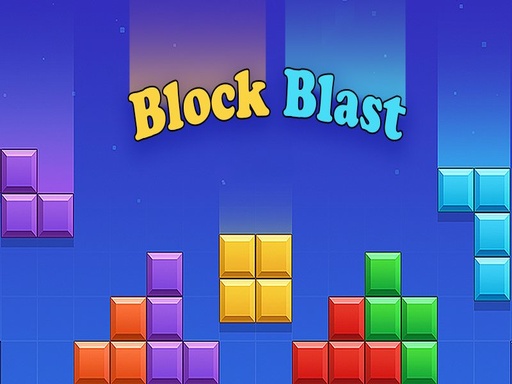
Strap in for a pure Puzzle showdown that tests your spatial IQ and reflexes. Block Blast Puzzle drops vibrant Bricks onto a tidy grid. Fill rows or columns to erase them, rack up points, and stay alive. Miss a move and the board fills up—game over. Perfect for a quick Mobile break or a marathon session on desktop. It’s one of the Best Games in the 2026 games lineup, and it runs smooth on HTML5 with zero downloads.
How It Works – Controls & Gameplay
Control the action with mouse or touch. Drag a block, line it up, and drop it into the grid. The interface is clean, the feedback instant, and the challenge ramps up fast.
- PC Controls Mouse Click Drag mdash Pick up a block and drag it onto the grid
- Mouse Release mdash Drop the block into position
- Mobile Controls Touch Drag mdash Press and hold a block then drag it onto the grid
- Release mdash Drop the block int
Winning Strategies – Keep the Grid Clear
Start by focusing on the edge columns. They’re easiest to fill and free up space quickly. Aim for combos: clearing two lines with a single block spikes your score and fuels a chain reaction. Watch the upcoming block preview; planning two moves ahead prevents dead‑ends. As the speed climbs, switch to a 1 Player mindset—stay calm, prioritize larger clusters, and avoid scattering small pieces. The game rewards risk‑taking, so occasionally sacrifice a near‑complete line for a bigger cascade later. Master these tactics and you’ll dominate leaderboards across .io Games portals and unblockedgamesatschool sites.
Ready to smash bricks and claim the top spot? Play Block Blast Puzzle now on Y8. It’s free, runs on any browser, and looks great on both desktop and mobile. Add it to your collection of free html5 games for your website and experience one of the most addictive 2D puzzles out there.
PC Controls Mouse Click Drag mdash Pick up a block and drag it onto the grid Mouse Release mdash Drop the block into position Mobile Controls Touch Drag mdash Press and hold a block then drag it onto the grid Release mdash Drop the block int