Blocks Match 3 – Fast‑Paced Puzzle Action
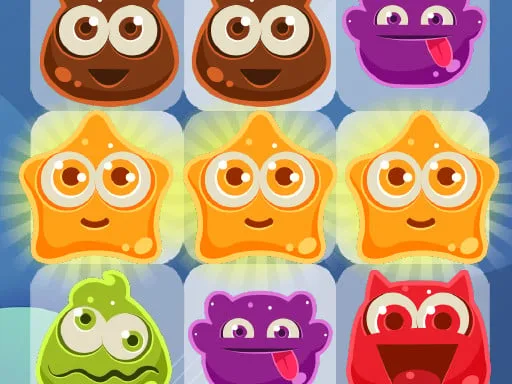
Blocks Match 3 drops you into a crisp 2D arena where colorful blocks line up for explosive clears. It’s a solo, 1 Player experience built for 2026 games lovers who crave quick reflexes and sharp eyes. Swap red, green, and blue Block tiles to form rows of three or more. Each match erases the Color trio, adds points, and pushes you toward the timer‑driven score goal. The game’s simple premise hides a deep Matching system that keeps the brain humming. Play a few minutes or a full session; every level feels fresh, and the progression loop rewards clever sorting.
Mechanics
The control scheme works flawlessly on both mobile and desktop. On a phone, a swipe nudges a block into the adjacent slot. On a PC, click‑drag does the same. The interface is clean, so you can focus on the puzzle without distractions.
- How to Play On phone Swipe your finger over the block in the direction you want to move it swaps with the adjacent block
- On mouse Click the block and drag it in the desired direction swaps with the adjacent block

Strategy
Mastering Blocks Match 3 is about more than just swiping. Aim for combos that trigger chain reactions; a single move can clear multiple rows. Prioritize matches that create special bomb boosters—these clear larger sections and shave seconds off the timer. Watch the board for isolated blocks; swapping them into a line unlocks hidden points and boosts your star count. As you climb higher Levels, obstacles appear: locked blocks, frozen tiles, and shifting patterns. Use shuffles wisely; they reset the board when you’re stuck, but they cost a move. Keep your eye on the upcoming goals, and plan three steps ahead. The more efficiently you sort the blocks, the faster you rack up points and the more free games for your site you can recommend to friends.
Ready to dominate the match‑3 arena? Jump straight into the action on Blocks Match 3 and see why Y8 players keep coming back for fresh puzzles. Your next high score is just a swipe away.
How to Play On phone Swipe your finger over the block in the direction you want to move it swaps with the adjacent block On mouse Click the block and drag it in the desired direction swaps with the adjacent block