Controls
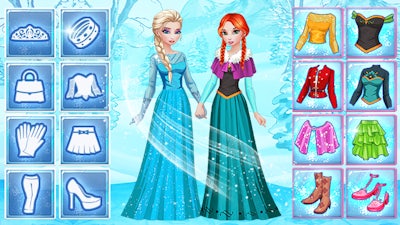
Use left mouse button to change outfit.
Use left mouse button to change outfit.



Four athletes, a campus, and endless style options. Y8 delivers a fast‑paced dress‑up challenge that lets you turn high‑school champs into runway icons. Pick skins, hair, sneakers, and accessories to match any vibe—whether you crave sleek fashion or street‑ready swagger. Show off your creative chops and prove that a winning team looks good on and off the field. Jump straight into the action with College Sport Team Makeover and see why the squad’s makeover is the talk of the campus.
Controls are simple: use the left mouse button to change outfit pieces. Click on a shirt, shoes, or hat, and watch the look update instantly. The interface splits the wardrobe into categories—skins, hair, tops, bottoms, and accessories—so you can fine‑tune each player’s style without breaking a sweat.
Start by setting a theme—team colors, sport type, or a street‑wear vibe. Consistency across the squad boosts visual impact, but mixing one bold piece per player adds personality. Earn higher scores by completing outfits that match the background setting; the game rewards coordinated color palettes. Experiment with rare accessories to unlock bonus points, and keep an eye on the timer—quick swaps with the left mouse button keep the momentum high.
Ready to prove you’ve got the ultimate style playbook? Launch Y8, hit “Play,” and give the campus a fresh look that’ll have everyone talking. Dress up, dominate, and share your victories—your next fashion triumph is just a click away.
Use left mouse button to change outfit.

We use cookies to help you navigate efficiently and perform certain functions. You will find detailed information about all cookies under each consent category below.
The cookies that are categorised as "Necessary" are stored on your browser as they are essential for enabling the basic functionalities of the site.
Necessary cookies are required to enable the basic features of this site, such as providing secure log-in or adjusting your consent preferences. These cookies do not store any personally identifiable data.
Functional cookies help perform certain functionalities like sharing the content of the website on social media platforms, collecting feedback, and other third-party features.
Analytical cookies are used to understand how visitors interact with the website. These cookies help provide information on metrics such as the number of visitors, bounce rate, traffic source, etc.
Advertisement cookies are used to provide visitors with customised advertisements based on the pages you visited previously and to analyse the effectiveness of the ad campaigns.
We also use third-party cookies that help us analyse how you use this website, store your preferences, and provide the content and advertisements that are relevant to you. These cookies will only be stored in your browser with your prior consent.
You can choose to enable or disable some or all of these cookies but disabling some of them may affect your browsing experience.