Cross Stitch – Pixel‑Perfect Coloring on Y8
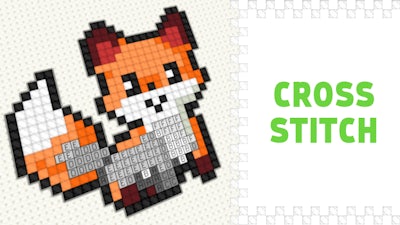
Pixel art meets soothing coloring in Cross Stitch. The game drops you onto a 2D canvas of tiny squares, each waiting for the right color. With 50 designs ranging from simple shapes to intricate patterns, every session feels fresh. It’s the perfect way to unwind after a marathon gaming night, and the crisp pixel look keeps even veteran gamers glued to the screen.
How to Play – Simple Mouse & Touch Controls
Mastering the canvas is a breeze. Below is the control cheat sheet for PC and mobile, so you can start stitching without a tutorial.
- PC Controls
- Drag right‑click = move the canvas
- Left‑click = coloring / moving the canvas (depending on the selected tool)
- Mouse‑scroll = zoom in / out
- B = paint tool
- H = move tool
- Mobile Controls
- One finger = coloring / moving the canvas (depending on the selected tool)
- Two fingers = zoom and move (recommended with the “move” tool to avoid accidental stitches)
Strategy & Addictiveness
Every design is a puzzle of hue placement. Start with the darkest shades to outline the shape, then layer lighter tones for depth. The game rewards precision: completing a picture without mis‑coloring unlocks a brighter palette and a subtle score boost. Keep an eye on the timer—quick, accurate stitches earn extra points, pushing you toward the leaderboard. If you’re stuck, toggle the “hint” mode; it reveals the correct color for a single cell, keeping the flow smooth without turning the challenge into a cheat sheet.
Ready to stitch your way to pixel perfection? Jump into Cross Stitch on Y8 now, grab a brush, and prove you’ve got the eye for detail. The canvas is waiting—start coloring and watch the 2D world come alive, one pixel at a time.