Controls
- WASD or arrow keys = move
- Left mouse button = interact / pick-up item
- Right mouse button = drop item
- C = crouch
- Shift = sprint
- Esc = pause
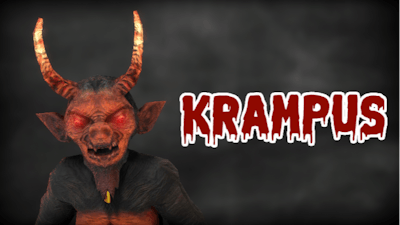


Y8 drops a fresh dose of terror with Krampus, a fast‑paced survival game that turns every dark corner into a jump scare waiting to pounce. You’re locked inside a cursed cabin, plates scattered with cursed relics, and a hulking, horn‑clad monster hunting your every move. The goal? Stack the items, trigger the ancient spell, and trap the beast before it drags you into the abyss. This isn’t just another horror flick; it’s an escape challenge that tests reflexes, nerves, and pure willpower. If you love the chill of Halloween and crave a visceral 3D nightmare, Krampus drops you straight into the heart of dread.
The controls are stripped down to the essentials so you can focus on the terror. Move, grab, hide, and sprint with a handful of keys while the monster prowls:
First, treat every plate like a lifeline. The spell only fires when you’ve placed every relic in the correct order, so memorizing the pattern saves precious seconds. Keep an eye on the monster’s shadow—its growl signals a nearby jump scare that can blind you temporarily. Use crouch (C) to slip under low beams and avoid line‑of‑sight detection. Sprinting is a double‑edged sword; the faster you run, the louder you become, drawing Krampus closer. Balance speed with stealth, and always have a backup item ready to drop as a distraction. The longer you survive, the more intense the ambient sounds get, amplifying that classic Halloween dread.
Ready to prove you can outsmart the legend? Dive into the nightmare, master the relic puzzle, and lock Krampus away for good. Play Krampus now on Y8 and see if you have what it takes to survive the ultimate horror test. The clock’s ticking, the shadows are closing—make your move before the beast catches you.

We use cookies to help you navigate efficiently and perform certain functions. You will find detailed information about all cookies under each consent category below.
The cookies that are categorised as "Necessary" are stored on your browser as they are essential for enabling the basic functionalities of the site.
Necessary cookies are required to enable the basic features of this site, such as providing secure log-in or adjusting your consent preferences. These cookies do not store any personally identifiable data.
Functional cookies help perform certain functionalities like sharing the content of the website on social media platforms, collecting feedback, and other third-party features.
Analytical cookies are used to understand how visitors interact with the website. These cookies help provide information on metrics such as the number of visitors, bounce rate, traffic source, etc.
Advertisement cookies are used to provide visitors with customised advertisements based on the pages you visited previously and to analyse the effectiveness of the ad campaigns.
We also use third-party cookies that help us analyse how you use this website, store your preferences, and provide the content and advertisements that are relevant to you. These cookies will only be stored in your browser with your prior consent.
You can choose to enable or disable some or all of these cookies but disabling some of them may affect your browsing experience.