Click to play
x
Controls
Mouse Controls

Sand Drawing Master






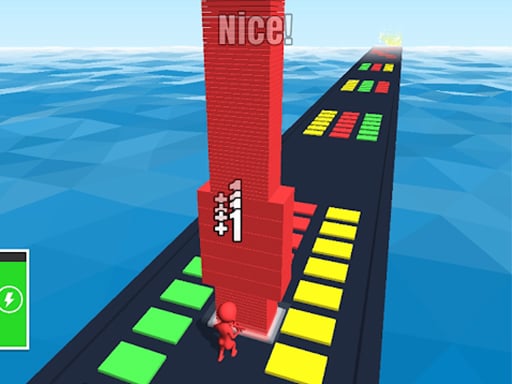











Click to play
This game is not available on mobile.

Grab a mouse and start shaping dunes like a pro. This hypercasual sandbox lets you turn grains into art with a single swipe. No tutorials, no fluff—just raw, funny fun that feels hot on any browser. Whether you’re a casual player looking for quick laughs or a hardcore .io enthusiast hunting the next addictive fix, this arcade‑style playground has something for every action‑loving gamer.
Controls are stripped down to the essentials. One mouse, endless possibilities. Master the brush, erase mistakes, and watch your creations come alive in real time.
Winning isn’t about high scores; it’s about keeping the sand flowing and the laughs coming. Start with simple shapes—circles, stars, smiley faces—to get a feel for brush dynamics. Once you’re comfortable, layer textures: draw a wave, then overlay footprints, then add a tiny palm tree. The secret sauce? Switch between drawing and sand‑shifting modes to create depth without resetting the canvas. Challenge yourself to complete a full scene in under a minute for extra bragging rights. Keep an eye on the sandbox timer; the sand slowly settles, so speed and precision become your best allies. For those who crave competition, compare your masterpiece on the leaderboards and watch the community remix your design. The more you experiment, the more the game rewards you with unlockable brush styles and funny sand effects that keep the experience fresh.
Ready to carve your legacy in digital dunes? Jump straight into Sand Drawing Master on Y8 and start crafting the most epic sand art the internet has ever seen. Grab your mouse, unleash your imagination, and become the sandbox legend everyone talks about.

We use cookies to help you navigate efficiently and perform certain functions. You will find detailed information about all cookies under each consent category below.
The cookies that are categorised as "Necessary" are stored on your browser as they are essential for enabling the basic functionalities of the site.
Necessary cookies are required to enable the basic features of this site, such as providing secure log-in or adjusting your consent preferences. These cookies do not store any personally identifiable data.
Functional cookies help perform certain functionalities like sharing the content of the website on social media platforms, collecting feedback, and other third-party features.
Analytical cookies are used to understand how visitors interact with the website. These cookies help provide information on metrics such as the number of visitors, bounce rate, traffic source, etc.
Advertisement cookies are used to provide visitors with customised advertisements based on the pages you visited previously and to analyse the effectiveness of the ad campaigns.
We also use third-party cookies that help us analyse how you use this website, store your preferences, and provide the content and advertisements that are relevant to you. These cookies will only be stored in your browser with your prior consent.
You can choose to enable or disable some or all of these cookies but disabling some of them may affect your browsing experience.