





























White Jigsaw – Puzzle Mastery on Y8
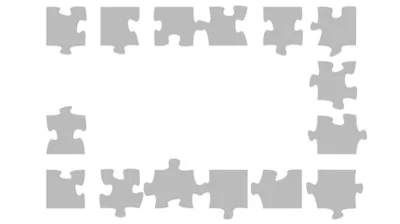
White Jigsaw flips the classic jigsaw concept on its head. No pictures, no hints—just the ragged edges and stubborn bumps of each piece. The challenge lies in feeling the shape, matching the voids, and forcing the pieces together until the silhouette clicks. It’s a pure test of spatial intuition, perfect for anyone who loves a brain‑teaser that rewards patience and keen eyes. Every solved puzzle unlocks a larger, more complex grid, keeping the adrenaline high and the satisfaction even higher. If you crave a puzzle that feels fresh every round, this is the one to lock onto.
Mechanics
The interface is stripped down to the essentials. Click or tap a piece, drag it across the board, and drop it when the edges align. No clutter, no timers—just the tactile feel of each fragment snapping into place. The game runs smoothly on any browser, thanks to its lightweight Flash‑based engine, so you can jump straight into the action without waiting for assets to load.
- Controls Left Mouse Button/Tap screen = Select and Drag
Strategy
Winning at White Jigsaw isn’t about brute force; it’s about pattern recognition and progressive thinking. Start by sorting pieces into rough size groups—big, medium, small. Larger fragments often contain the most distinctive bumps, giving you a foothold for the rest of the puzzle. Next, rotate each piece mentally before you pick it up; many edges match only when flipped the right way. As you clear early levels, the game introduces more pieces and tighter tolerances, forcing you to refine your visual memory. Keep an eye on the unlocking system: every completed grid adds a new challenge with a higher piece count, so maintaining a steady rhythm prevents the difficulty spike from feeling overwhelming. Remember, patience beats speed in this pure Strategy test.
Ready to flex those puzzle‑solving muscles? Jump straight into the action on Y8 and start conquering the silent challenge of White Jigsaw. Your next triumph is just a drag away.
