Click to play
x
Controls

Controls

  • Space to Jump
  • WASD to walk
  • R to reset
  • Tab to pause, select levels, rebind keys, or change your mouse sensitivity
  • Hold A to glide on Surface to the left
  • Hold D to glide on Surface to the right
  • Hold A mid air and move the Mouse to glide left
  • Hold D mid air and move the Mouse to glide right
Hint: turn down your mouse sensitivity to make it easier
SURF

SURF

SURF
Click to play
This game is not available on mobile.
rotate phone

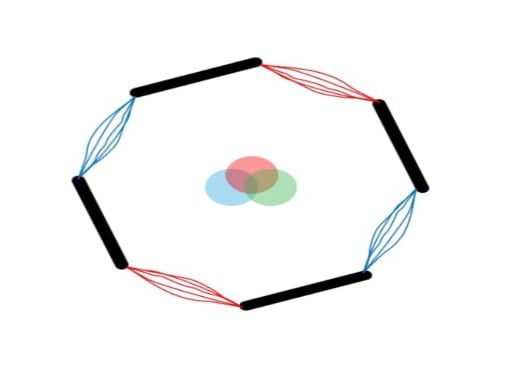
Experience the Thrill of 3D Surfing in Y8's Latest Game, SURF

SURF, the addictive 3D browser game, challenges even the most seasoned gamers with tricky levels that require lightning-fast reflexes and precision jumping skills.

Get ready to put your skills to the test in this difficult yet exciting game. With every new level, the obstacles get tougher, and the speed of your movements demands perfect timing. Can you beat the gold medal and prove your mastery of the game?

SURF Gameplay

So, how do you play SURF? Here's a quick rundown of the controls:

  • Jump: Space
  • Walk: WASD
  • Reset: R
  • Pause, select levels, rebind keys, or change your mouse sensitivity: Tab
  • Glide on surface to the left: Hold A
  • Glide on surface to the right: Hold D
  • Glide left: Hold A mid-air and move the mouse
  • Glide right: Hold D mid-air and move the mouse
  • Hint: Turn down your mouse sensitivity to make it easier

As you progress through the levels, you'll need to develop a strategy to overcome the challenges ahead. Start by mastering the basic controls, then learn to use the gliding mechanics to your advantage. With practice, you'll be able to navigate even the most treacherous levels with ease.

Ready to take on the SURF challenge? Head over to SURF on Y8 and show off your skills. And when you're ready for more, explore the vast library of games available on Y8 and discover your next favorite game!

Instructions:

Controls

  • Space to Jump
  • WASD to walk
  • R to reset
  • Tab to pause, select levels, rebind keys, or change your mouse sensitivity
  • Hold A to glide on Surface to the left
  • Hold D to glide on Surface to the right
  • Hold A mid air and move the Mouse to glide left
  • Hold D mid air and move the Mouse to glide right
Hint: turn down your mouse sensitivity to make it easier
Customise Consent Preferences Close

We use cookies to help you navigate efficiently and perform certain functions. You will find detailed information about all cookies under each consent category below.

The cookies that are categorised as "Necessary" are stored on your browser as they are essential for enabling the basic functionalities of the site.

Always Active

Necessary cookies are required to enable the basic features of this site, such as providing secure log-in or adjusting your consent preferences. These cookies do not store any personally identifiable data.

Functional cookies help perform certain functionalities like sharing the content of the website on social media platforms, collecting feedback, and other third-party features.

Analytical cookies are used to understand how visitors interact with the website. These cookies help provide information on metrics such as the number of visitors, bounce rate, traffic source, etc.

Advertisement cookies are used to provide visitors with customised advertisements based on the pages you visited previously and to analyse the effectiveness of the ad campaigns.

We also use third-party cookies that help us analyse how you use this website, store your preferences, and provide the content and advertisements that are relevant to you. These cookies will only be stored in your browser with your prior consent.

You can choose to enable or disable some or all of these cookies but disabling some of them may affect your browsing experience.