What a Leg: Fast‑Draw Racing That Tests Your Skill
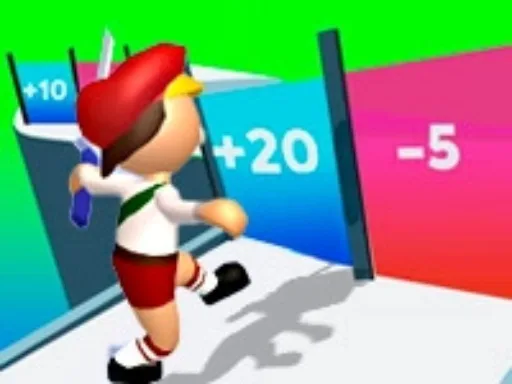
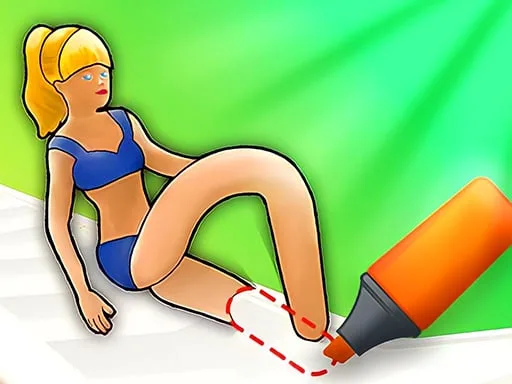
Imagine a race where the runners have no legs—until you give them some. In What a Leg, you draw the missing limbs and watch the characters sprint across crazy parkour tracks. Every stroke decides who crosses the finish line first. The thrill comes from instant feedback, goofy obstacles, and a race‑against‑time that feels fresh every match. Perfect for kids, a girl who loves drawing, or anyone hunting a quick burst of fun.
What a Leg Mechanics
Controls are simple, but mastery takes practice. Grab your mouse, left‑click, and start sketching legs that match each block’s challenge. In 2 Player mode, you and a friend can compete side‑by‑side, switching legs with keyboard shortcuts.
- Single player mode: Use MOUSE and LEFT-CLICK to draw legs
- Two player mode: After drawing legs at the beginning of the game use the keys below for switching between the legs
- Player 1 – W A S D
- Player 2 – ARROW KEYS
Winning Strategy for What a Leg
Start with short, sturdy legs on flat sections. Longer limbs help clear gaps, but they cost more time to draw. Watch the obstacle pattern: spikes need a pointed foot, while ramps reward a curved shin. In 2 Player Games, timing your switches is crucial—don’t hog the keyboard. Practice the drawing speed; the faster you sketch, the less lag you introduce. The Unity3D engine powers smooth WebGL performance, so you can focus on skill, not loading screens.
Kids often improve by mimicking the AI’s leg shapes. Try the “baby” mode for a gentler curve and learn how each leg type affects momentum. Challenge a friend to a match‑up and trade tips—what works for a girl player might differ from a boy’s style, but the core idea stays the same: efficient drawing, quick switches, and reading the track ahead.
Ready to test your drawing reflexes and claim the top spot? Jump into the race, grab that mouse, and start sketching. Play now on Y8 and see if you can out‑draw the competition.
Single player mode Use MOUSE and LEFT-CLICK to draw legs Two player mode After drawing legs at the beginning of the game use the keys below for switching between the legs Player 1 W A S D Player 2 ARROW KEYS